How to Set Up WhatsApp Business API? | A Step-by-Step Guide by WaBM

Introduction
In this digital world, businesses need an effective way to engage with their customers. WhatsApp Business API is the perfect solution for companies looking to automate, manage and scale their customer interactions via WhatsApp. Unlike the standard WhatsApp Business app, which is designed for small businesses, WhatsApp Business API is tailored for medium and large enterprises that require automation, integration with CRMs, and multi-user access.
In this guide, we will walk you through the step-by-step process of setting up WhatsApp Business API using WaBM, a powerful WhatsApp Business API management tool. By following these steps, you can get your business up and running on WhatsApp in no time.
What is WhatsApp Business API?
Before we dive into the setup process, let's understand what WhatsApp Business API is and how it differs from the standard WhatsApp Business app.
WhatsApp Business App vs. WhatsApp Business API
| Feature | WhatsApp Business App | WhatsApp Business API |
|---|---|---|
| Best For | Small businesses | SMEs |
| Multi-User Access | No | Yes |
| Chatbots & Automation | Limited | Advanced Automation |
| CRM Integration | No | Yes |
| Bulk Messaging | No | Yes |
The WhatsApp Business API is essential for businesses that need scalability, automation, and integration with their existing customer support and marketing platforms. Now, let's move to the setup process.
Essential for Setting Up WhatsApp Business API
Before you begin the setup, ensure you have the following:
- A valid business phone number (not previously linked to a personal WhatsApp account)
- A Facebook Business Manager account
- Business verification on Facebook Business Manager
- Access to WaBM’s platform for seamless integration
Once you have these prerequisites in place, you can proceed with the setup.
Step-by-Step Guide to Setting Up WhatsApp Business API
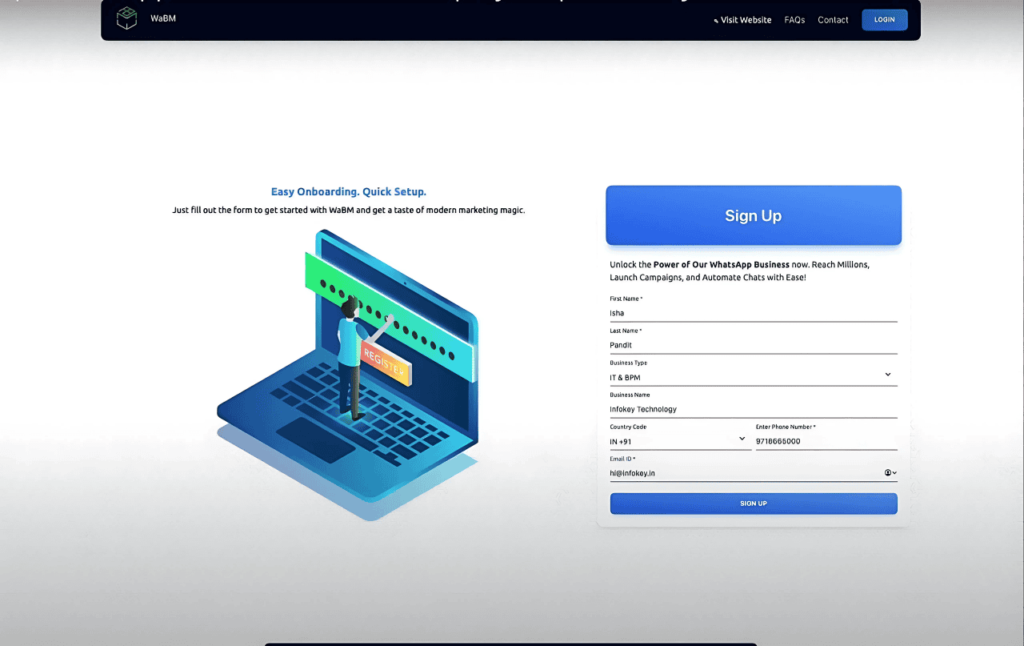
Step 1: Sign Up for WaBM
- Open your web browser and search for WaBM.
- Visit WaBM’s official website (wabm.in).
- Click on “Start Free Trial” to begin the registration process.
- Fill in the required details:
- First Name & Last Name
- Business Type & Business Name
- Country Code & Business Phone Number
- Email ID
- Click Sign Up and wait for confirmation.
Step 2: Verify Your Email & Get Credentials
- Check your email inbox for a confirmation email from WaBM.
- Once your details are reviewed, you will receive an email with your WaBM login credentials.
- Keep this email safe as it contains important details like corporate ID, agent name, and password.
Step 3: Log In & Begin Setup
- Click on the link provided in the email to log in to WaBM.
- Enter your corporate ID, agent name and password.
- Once logged in, click on “Let’s Get Started” to begin setting up your WhatsApp Business API account.
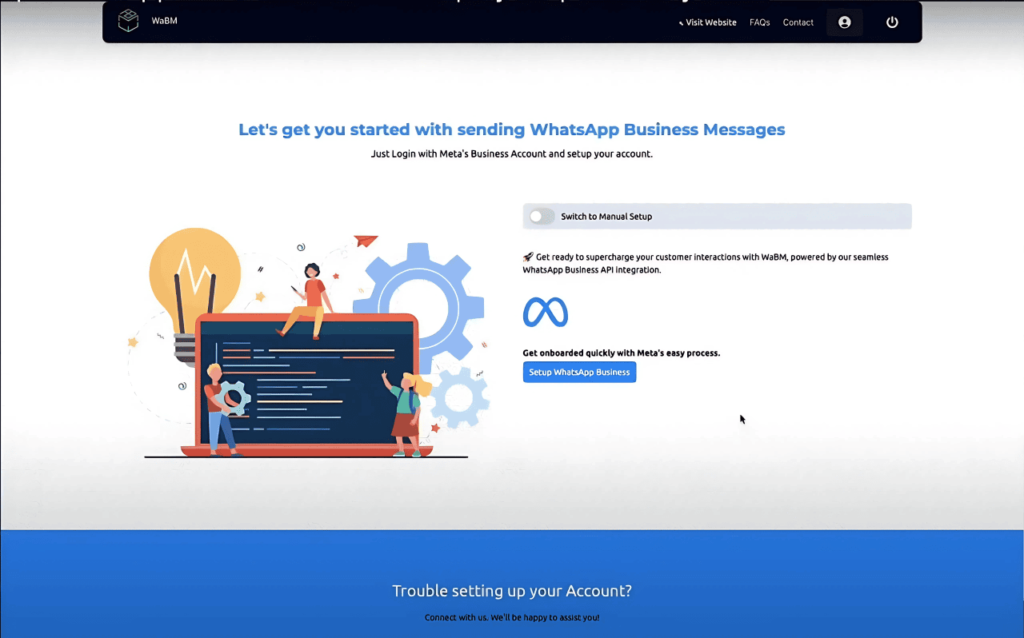
Step 4: Configure Your WhatsApp Business API Account
- Click “Setup WhatsApp Business” and follow the on-screen instructions.
- Log into your Facebook Business Manager account.
- Select an existing WhatsApp Business portfolio or create a new one.
Step 5: Set Up Business Information
- Enter your official business name (as per government records).
- Fill in additional business details and click Next.
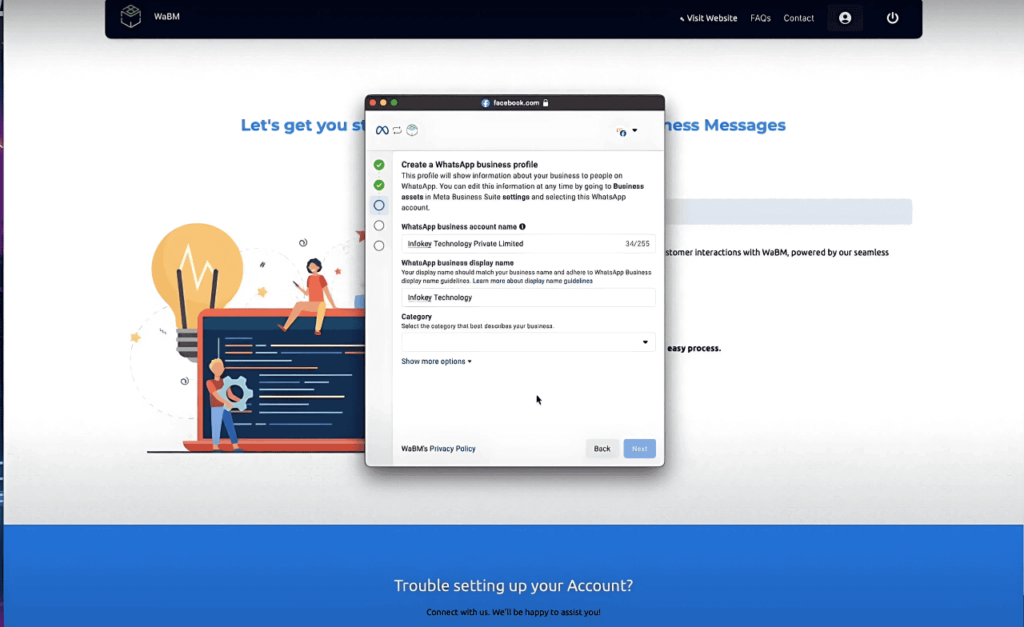
Step 6: Create a WhatsApp Business Account & Profile
- Enter your business name and display name (visible to customers).
- Select a business category (if your category is not listed, choose “Other”).
- Click Next to proceed.
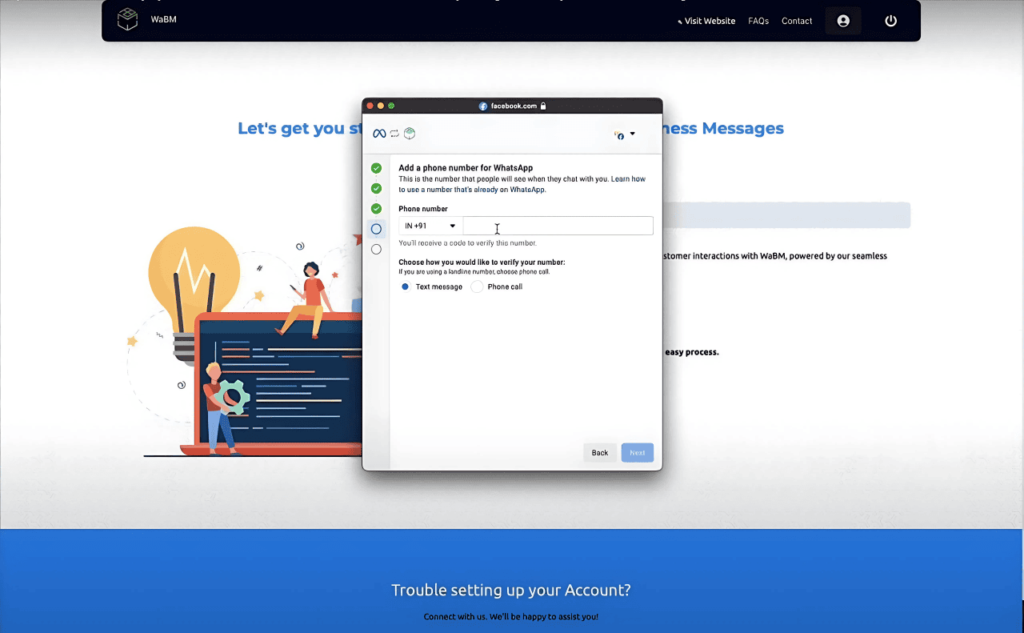
Step 7: Register Your Business Phone Number
- Choose your country code and enter the business phone number you want to register.
- If the number is currently active on WhatsApp Mobile, you must delete that account first from WhatsApp Settings.
- Click Next to continue.
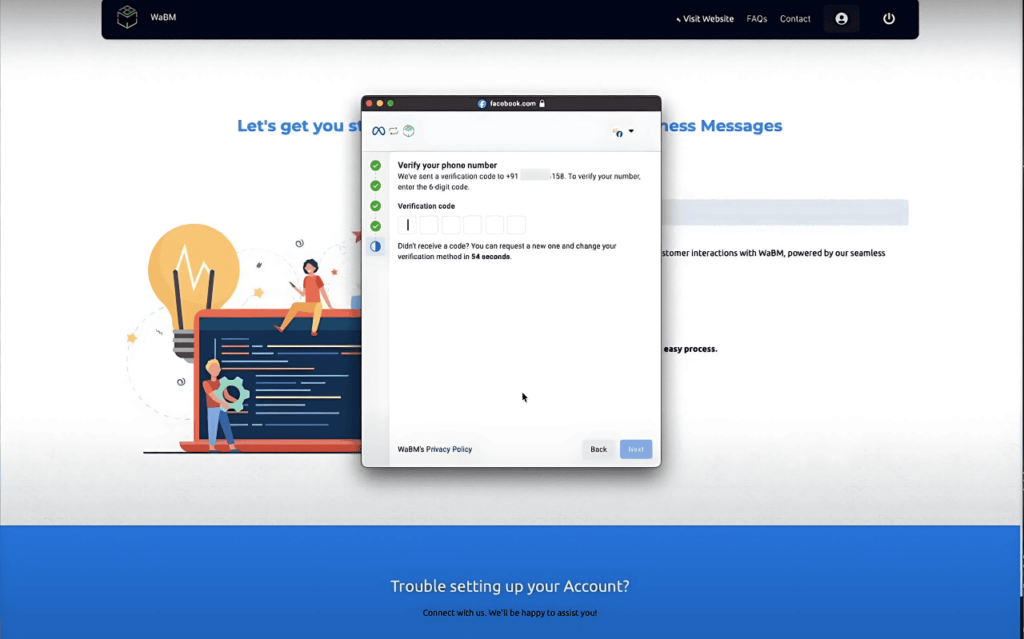
Step 8: Verify & Activate Your WhatsApp Business API
- Enter the verification code sent to your phone.
- Click Continue and wait for WhatsApp to process your request.
- Once approved, click Finish to complete the setup.
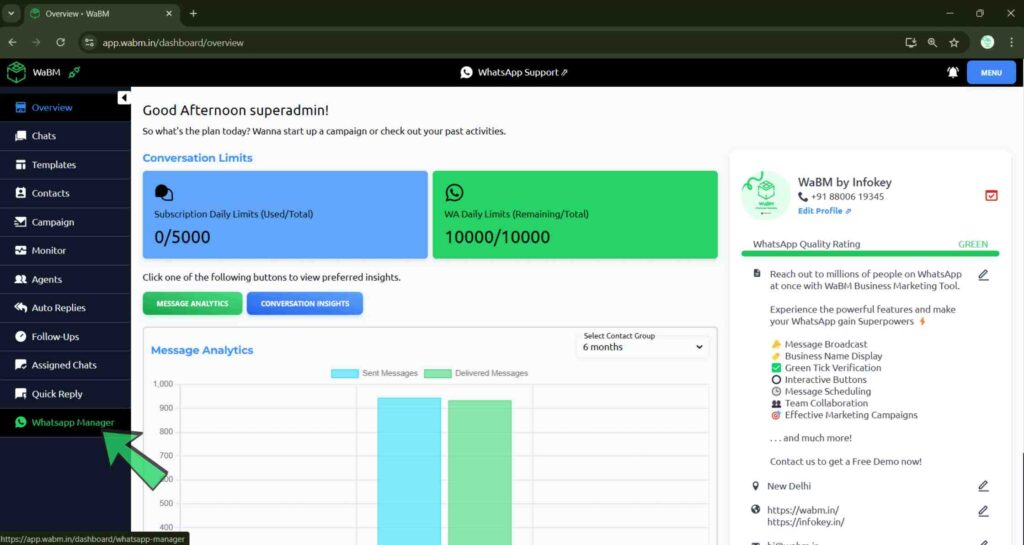
Step 9: Accessing the WaBM Dashboard & Features
- Click on “Go to Dashboard”.
- Explore the WaBM features:
- Chat Window: Manage conversations with customers.
- Message Templates: Create automated responses for quick replies.
- Contact Management: Store and organize customer contacts.
- Automation & Analytics: Set up chatbots and track performance.
Why Use WaBM for WhatsApp Business API?
Using WaBM simplifies the setup and management of WhatsApp Business API, providing businesses with:
- Easy Integration: No need for technical expertise to set up the API.
- Multi-User Access: Multiple agents can manage WhatsApp conversations simultaneously.
- Automation & Chatbots: Send automated replies and set up AI-powered chatbots.
- Bulk Messaging & Campaigns: Run promotional campaigns effectively.
- Detailed Analytics: Track customer interactions and measure success.
With WaBM, businesses can streamline customer interactions and boost engagement on WhatsApp.
Conclusion
In conclusion, setting up the WhatsApp Business API for your business is a powerful way to enhance customer interactions and streamline communication. By following this step-by-step guide, you can easily integrate the API with your business operations using WaBM, an intuitive platform that simplifies the process. Whether you're automating responses, managing customer contacts, or running promotional campaigns, WhatsApp Business API offers scalable solutions for medium and large businesses.
Now that your WhatsApp Business API is up and running, you can leverage its advanced features to improve customer support, drive engagement and grow your business. Take full advantage of the automation, multi-user access and insightful analytics to stay ahead of the competition.
Explore the possibilities with WhatsApp Business API today and watch your business thrive through seamless communication.